I’ve been running a single DGX Spark (GB10) as an EKS Hybrid Node for a while, and recently a second one landed on my desk. The plan is to stack the two Sparks with one QSFP112 cable to create a little two-node EKS Hybrid cluster for distributed inference. This post documents how to set up RoCE/RDMA networking and perform NCCL testing across the two Spark nodes, including all lessons learned.
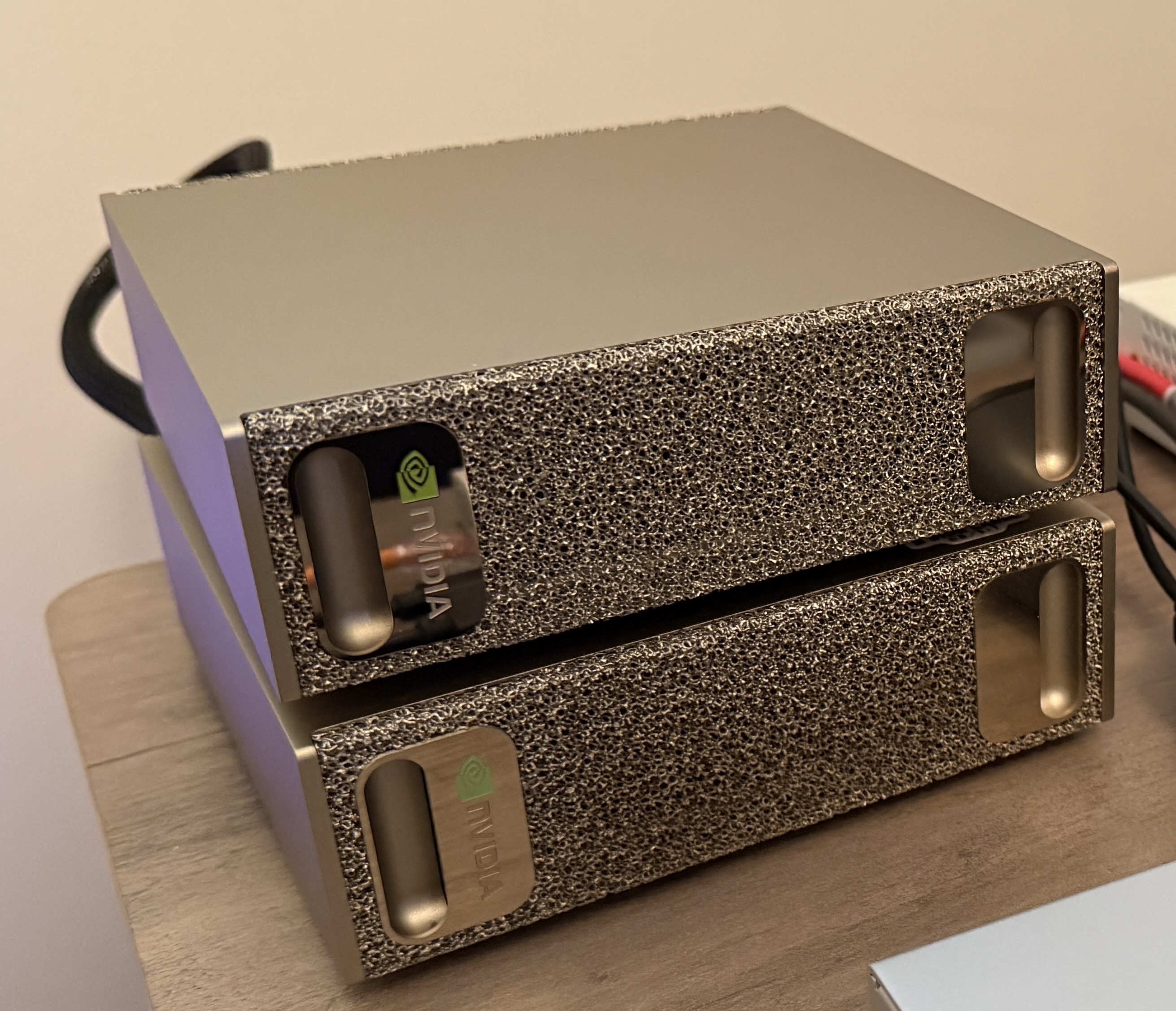
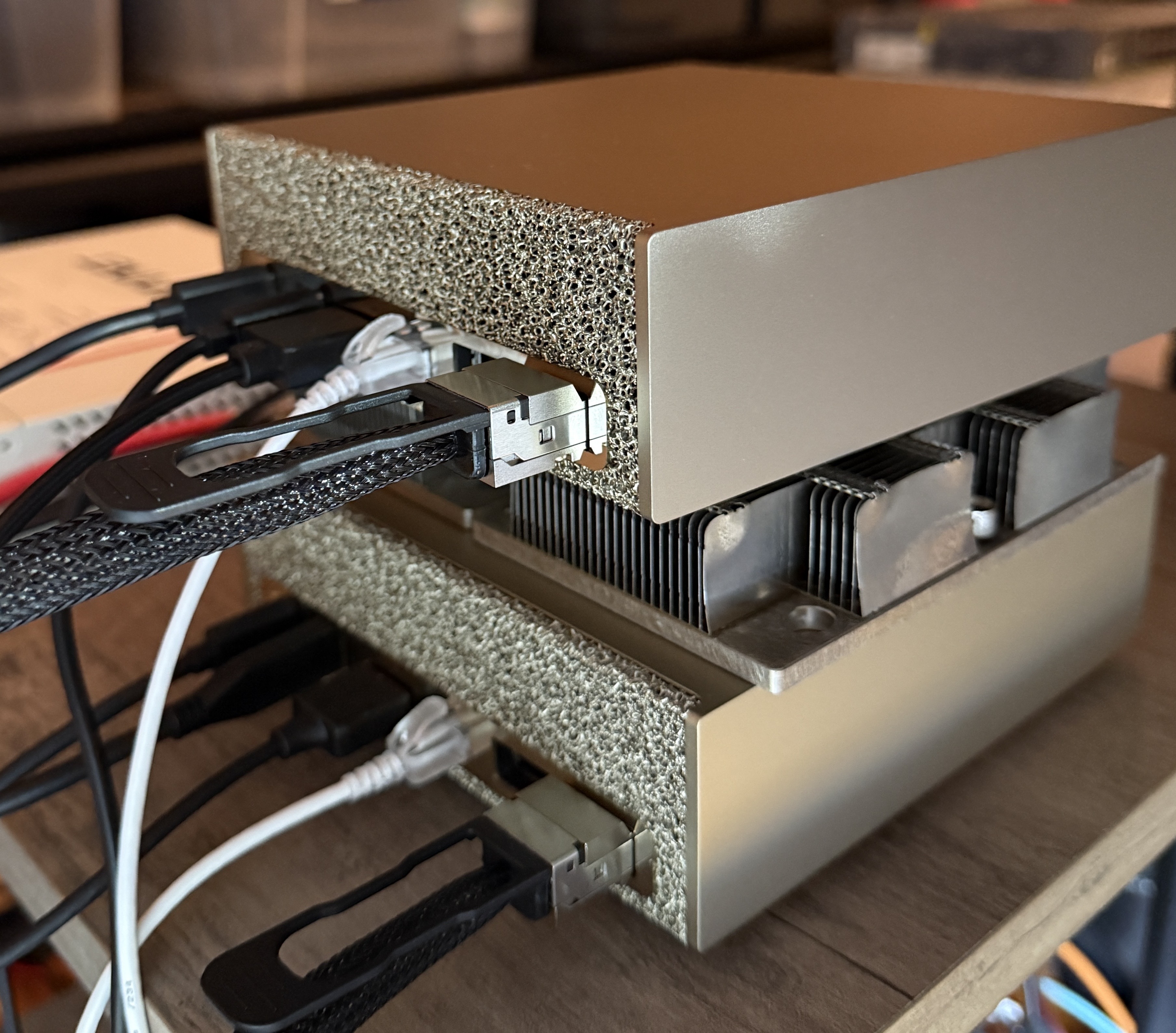
The setup
- 2× NVIDIA DGX Spark (GB10)
aarch64, compute capability12.1(sm_121) - One QSFP112 or QSFP56 cable - On GB10 that single cable presents as two separate RDMA interfaces (See this blog for detailed explanation.)
- Configure static IPs on the two RoCE/RDMA interfaces, as per the official playbook
rocep1s0f1/enp1s0f1np1—100.127.251.x/24roceP2p1s0f1/enP2p1s0f1np1—100.127.252.x/24
- Ensure you have the latest firmwares,
inbox
mlx5driver,perftest+rdma-corepreinstalled. MTU 9000. RoCEv2 - A separate 1G interface
enP7s7(192.168.100.x/24) for EKS Hybrid clustering & management.- Spark01 =
192.168.100.101 - Spark02 =
192.168.100.102
- Spark01 =
- NCCL_IB_GID_INDEX=3 The IPv4-mapped RoCEv2 GID on these adapters (confirmed using
show_gids. Note: v2 is the routable, UDP/IP-encapsulated version; v1 is L2-only)
Prerequisites (both nodes): install OpenMPI (sudo apt install -y libopenmpi-dev),
and make sure passwordless SSH works in both directions (101↔102) under the same
username — mpirun launches the remote rank over SSH.
Note:
nvidia-smireports the GPU at PCIe “Gen1 x1” on GB10. That’s cosmetic — the GPU talks to the CPU over NVLink-C2C, not PCIe.
Verify the raw RDMA throughput first (ib_write_bw)
Before touching NCCL, confirm the wire itself is healthy. ib_write_bw is pure RDMA,
no CUDA, no NCCL — make sure you can achieve ~200Gbps/20GBs before proceeding to the NCCL test.
Run one server per link over different UDP ports.
On spark-101 (servers, one per link):
ib_write_bw -d rocep1s0f1   -F --report_gbits -D 10 -s 1048576 -q 4 -p 18515 &
ib_write_bw -d roceP2p1s0f1 -F --report_gbits -D 10 -s 1048576 -q 4 -p 18516 &
On spark-102 (clients, point at each link’s IP):
ib_write_bw -d rocep1s0f1   -F --report_gbits -D 10 -s 1048576 -q 4 -p 18515 100.127.251.101 &
ib_write_bw -d roceP2p1s0f1 -F --report_gbits -D 10 -s 1048576 -q 4 -p 18516 100.127.252.101 &
Results (raw RDMA):
---------------------------------------------------------------------------------------
                    RDMA_Write BW Test
 Dual-port       : OFF		Device         : rocep1s0f1
 Number of qps   : 4		Transport type : IB
 Connection type : RC		Using SRQ      : OFF
 PCIe relax order: ON
---------------------------------------------------------------------------------------
                    RDMA_Write BW Test
 Dual-port       : OFF		Device         : roceP2p1s0f1
 Number of qps   : 4		Transport type : IB
 Connection type : RC		Using SRQ      : OFF
 PCIe relax order: ON
 ibv_wr* API     : ON
 CQ Moderation   : 1
 Mtu             : 4096[B]
 Link type       : Ethernet
 GID index       : 3
 Max inline data : 0[B]
 rdma_cm QPs	 : OFF
 Data ex. method : Ethernet
---------------------------------------------------------------------------------------
 ibv_wr* API     : ON
 CQ Moderation   : 1
 Mtu             : 4096[B]
 Link type       : Ethernet
 GID index       : 3
 Max inline data : 0[B]
 rdma_cm QPs	 : OFF
 Data ex. method : Ethernet
---------------------------------------------------------------------------------------
... [Truncated] ...
---------------------------------------------------------------------------------------
 #bytes     #iterations    BW peak[Gb/sec]    BW average[Gb/sec]   MsgRate[Mpps]
 remote address: LID 0000 QPN 0x06e3 PSN 0x88913f RKey 0x11832d VAddr 0x00f0c34d49d000
 GID: 00:00:00:00:00:00:00:00:00:00:255:255:100:127:252:102
---------------------------------------------------------------------------------------
 #bytes     #iterations    BW peak[Gb/sec]    BW average[Gb/sec]   MsgRate[Mpps]
 1048576    70121            0.00               98.04  		   0.011687
---------------------------------------------------------------------------------------
 1048576    70120            0.00               98.04  		   0.011687
---------------------------------------------------------------------------------------
| Test | Bandwidth |
|---|---|
| Both links concurrent | 98 + 98 ≈ 196 Gb/s = ~24.5 GB/s |
So ~24.5 GB/s is the raw ceiling. With the wire rate proven, we can now proceed to the container-native NCCL setup & testing.
Build the NCCL test components
Both benchmarks below need a GB10-capable NCCL. The stock NGC PyTorch container’s
NCCL does not work on GB10 out of the box (see the Gotchas section below), so
we build NCCL and nccl-tests from source — on both nodes.
# 1. Build NCCL with GB10 (sm_121) kernels
git clone -b v2.28.9-1 https://github.com/NVIDIA/nccl.git ~/nccl
cd ~/nccl
make -j src.build NVCC_GENCODE="-gencode=arch=compute_121,code=sm_121"

# 2. Build nccl-tests against that NCCL, with MPI enabled (gives all_gather_perf etc.)
git clone https://github.com/NVIDIA/nccl-tests.git ~/nccl-tests
cd ~/nccl-tests
make MPI=1 MPI_HOME=/usr/lib/aarch64-linux-gnu/openmpi NCCL_HOME=$HOME/nccl/build

# 3. Point the runtime at the freshly built library
export LD_LIBRARY_PATH=$HOME/nccl/build/lib:$LD_LIBRARY_PATH
This mirrors NVIDIA’s official DGX Spark path (build.nvidia.com/spark/nccl/stacked-sparks). Repeat the same build on spark-102.
Run the NCCL benchmark
With the binaries built, run the all_gather test from spark-101. mpirun starts one
rank per node (spark-101 + spark-102) and the -x flags export the NCCL config to both:
mpirun -np 2 -H 192.168.100.101:1,192.168.100.102:1 \
  --mca plm_rsh_agent "ssh -o UserKnownHostsFile=/dev/null -o StrictHostKeyChecking=no" \
  --mca btl_tcp_if_include enP7s7 \
  --mca oob_tcp_if_include enP7s7 \
  -x LD_LIBRARY_PATH -x NCCL_SOCKET_IFNAME=enP7s7 \
  -x NCCL_IB_HCA==rocep1s0f1,roceP2p1s0f1 \
  -x NCCL_IB_MERGE_NICS=1 -x NCCL_CROSS_NIC=1 -x NCCL_IB_GID_INDEX=3 \
  ~/nccl-tests/build/all_gather_perf -b 512M -e 16G -f 2 -g 1
The flags that matter:
| Flag | Why |
|---|---|
-H 192.168.100.101:1,192.168.100.102:1 | One rank per node, addressed by their EKS clustering / management IPs |
--mca plm_rsh_agent "ssh ..." | The SSH command MPI uses to launch the remote rank; the -o flags skip host-key prompts |
--mca btl_tcp_if_include/oob_tcp_if_include enP7s7 + -x NCCL_SOCKET_IFNAME=enP7s7 | Pin all coordination traffic to the mgmt NIC — this is what avoids the docker0 deadlock (see Gotcha 3) |
-x LD_LIBRARY_PATH | Export the freshly built NCCL library path to the remote rank too |
-x NCCL_IB_HCA==rocep1s0f1,roceP2p1s0f1 + -x NCCL_IB_MERGE_NICS=1 | Use both RoCE NICs as one — the single most important line (see Gotchas). Note the double ==: that’s NCCL’s exact-match operator (single = is prefix-match) — leave it as == |
-x NCCL_IB_GID_INDEX=3 | The RoCEv2 GID we confirmed with show_gids earlier |
Results (NCCL all_gather busbw):
# nccl-tests version 2.19.6 nccl-headers=22809 nccl-library=22809
# Collective test starting: all_gather_perf
# nThread 1 nGpus 1 minBytes 536870912 maxBytes 17179869184 step: 2(factor) warmup iters: 1 iters: 20 agg iters: 1 validation: 1 graph: 0 unalign: 0
#
# Using devices
#  Rank  0 Group  0 Pid 1668270 on  spark-101 device  0 [000f:01:00] NVIDIA GB10
#  Rank  1 Group  0 Pid 1563448 on  spark-102 device  0 [000f:01:00] NVIDIA GB10
#
#                                                              out-of-place                       in-place
#       size         count      type   redop    root     time   algbw   busbw  #wrong     time   algbw   busbw  #wrong
#        (B)    (elements)                               (us)  (GB/s)  (GB/s)             (us)  (GB/s)  (GB/s)
   536870912      67108864     float    none      -1  14594.4   36.79   18.39       0  13778.0   38.97   19.48       0
  1073741824     134217728     float    none      -1  26932.5   39.87   19.93       0  25564.1   42.00   21.00       0
  2147483648     268435456     float    none      -1  49245.0   43.61   21.80       0  46792.9   45.89   22.95       0
  4294967296     536870912     float    none      -1  93659.9   45.86   22.93       0  90915.7   47.24   23.62       0
  8589934592    1073741824     float    none      -1   183338   46.85   23.43       0   179211   47.93   23.97       0
 17179869184    2147483648     float    none      -1   361820   47.48   23.74       0   354934   48.40   24.20       0
# Out of bounds values : 0 OK
# Avg bus bandwidth    : 22.1205
#
# Collective test concluded: all_gather_perf
NCCL all_garther_perf with both RoCE NICs merged = ~22 GB/s avg (peaks ~24)
#wrong=0 and ~22 GB/s average busbw (peaking ~24 GB/s at 16 GB) — right at the
raw RDMA ceiling. That’s the confirmation the two Sparks are stacked correctly and
ready for distributed workloads.
Gotchas & lessons learned
1. The stock container’s NCCL is too old for GB10. NVIDIA’s PyTorch container
(nvcr.io/nvidia/pytorch:25.08-py3) ships NCCL 2.27.7, which predates GB10
(sm_121) support — collectives just hang and never complete. That’s why we built NCCL
from source above. Avoid the container NCCL; build 2.28.9+ yourself.
2. The container’s bundled AWS plugin silently kills your bandwidth. That same NGC
container bundles the aws-ofi-nccl plugin, which fails on GB10’s unified memory and
makes NCCL silently fall back to TCP — ~3 GB/s instead of ~20, with no error. The
from-source NCCL avoids this entirely (it ships no such plugin).
3. On an EKS/Kubernetes node, MPI deadlocks on the wrong interface. This is the one
worth understanding in detail. If your Spark is also a k8s/k3s node, it has extra interfaces
— notably docker0 at 172.17.0.1/16, which is identical on both machines. mpirun
auto-discovers docker0 and advertises the same 172.17.0.1 from both ends, so it
can’t tell the peers apart and hangs at wire-up before NCCL even starts:
Open MPI accepted a TCP connection ... cannot find a corresponding process entry
To fix this, we need to understand the three independent NCCL/MPI network layers - each with its own selector, and we need to pin all three explicitly:
| Layer | What it does | Selector |
|---|---|---|
| MPI launch (oob / btl) | process wire-up (TCP) | --mca btl_tcp_if_include enP7s7 --mca oob_tcp_if_include enP7s7 |
| NCCL bootstrap | rendezvous (TCP) | NCCL_SOCKET_IFNAME=enP7s7 |
| NCCL data | the actual transfer (RDMA) | NCCL_IB_HCA==rocep1s0f1,roceP2p1s0f1 |
Pin the coordination traffic to the management NIC (enP7s7) and it starts cleanly every time.
4. NCCL_IB_MERGE_NICS=1 is required to achieve max ~20GB/s NCCL bandwidth.
Without merging, NCCL uses only one of the two logical NICs and caps at ~13.5 GB/s.